在使用WooCommerce製作電商獨立站時,如果你設定的是允許客戶註冊時填寫密碼,那麼,在填寫密碼時,會要求客戶使用強密碼,要求是12位的字元串,得有字母、數位、特殊字元。 如果覺得這個要求太嚴苛,可以通過以下的代碼段來降低註冊帳號時的密碼強度要求。
首先,請安裝Code Snippet外掛
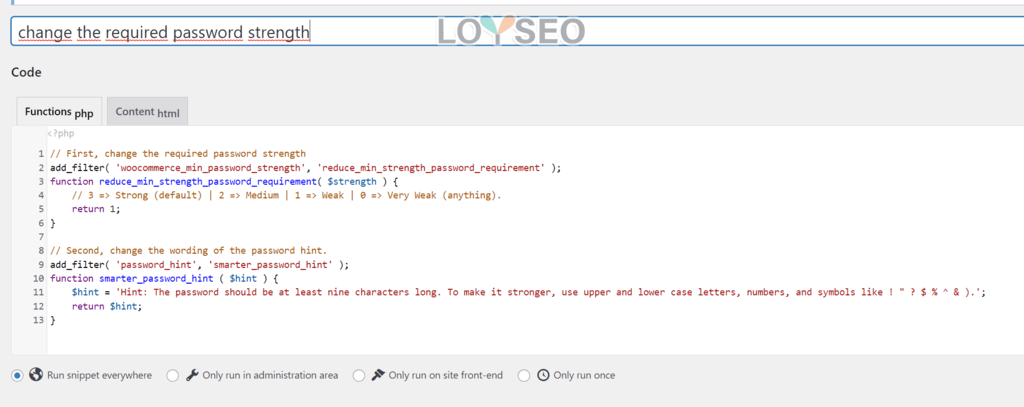
然後,添加一個新的snippet,代碼類型是function(php),將下方代碼複製進去,保存即可。
這段代碼,實現了:註冊要求最低9個字元,純字母和數字的組合也是允許的。
// First, change the required password strength
add_filter( 'woocommerce_min_password_strength', 'reduce_min_strength_password_requirement' );
function reduce_min_strength_password_requirement( $strength ) {
    // 3 => Strong (default) | 2 => Medium | 1 => Weak | 0 => Very Weak (anything).
    return 1;
}

// Second, change the wording of the password hint.
add_filter( 'password_hint', 'smarter_password_hint' );
function smarter_password_hint ( $hint ) {
    $hint = 'Hint: The password should be at least nine characters long. To make it stronger, use upper and lower case letters, numbers, and symbols like ! " ? $ % ^ & ).';
    return $hint;
}
代碼中的,我們能看到一段, 3 => Strong (default) | 2 => Medium | 1 => Weak | 0 => Very Weak (anything).,這是一段註釋,告訴你密碼強度分為0-3,共計4個等級,數值越大,密碼要求越強。 默認是3,我們將return 1中的1改為你需要的數值,即可調整強度。
在code snippet外掛程式中加完的代碼,長下圖這樣。